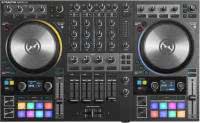


Was bräuchte ich, um meinen Haupt-Controller wieder zu wechseln? Vieles, angesichts der Mühe, neue Layouts und Schnittstellen zu lernen, ganz zu schweigen von den Kosten für den Kauf des neuen Produkts selbst. Es ist nicht verwunderlich, dass viele Traktor-DJs bei ihren alten treuen Controllern geblieben sind und auf neuere Updates von Native Instruments verzichtet.
Nun, wir alle müssen vielleicht ernsthaft darüber nachdenken, unsere Ausrüstung zu aktualisieren. Der neueste Traktor Kontrol S4 MK3 bringt viele neue Vorteile auf den Tisch und ist vielleicht der beste DJ-Controller, den NI seit langem angeboten hat!
Der neue S4 im Überblick
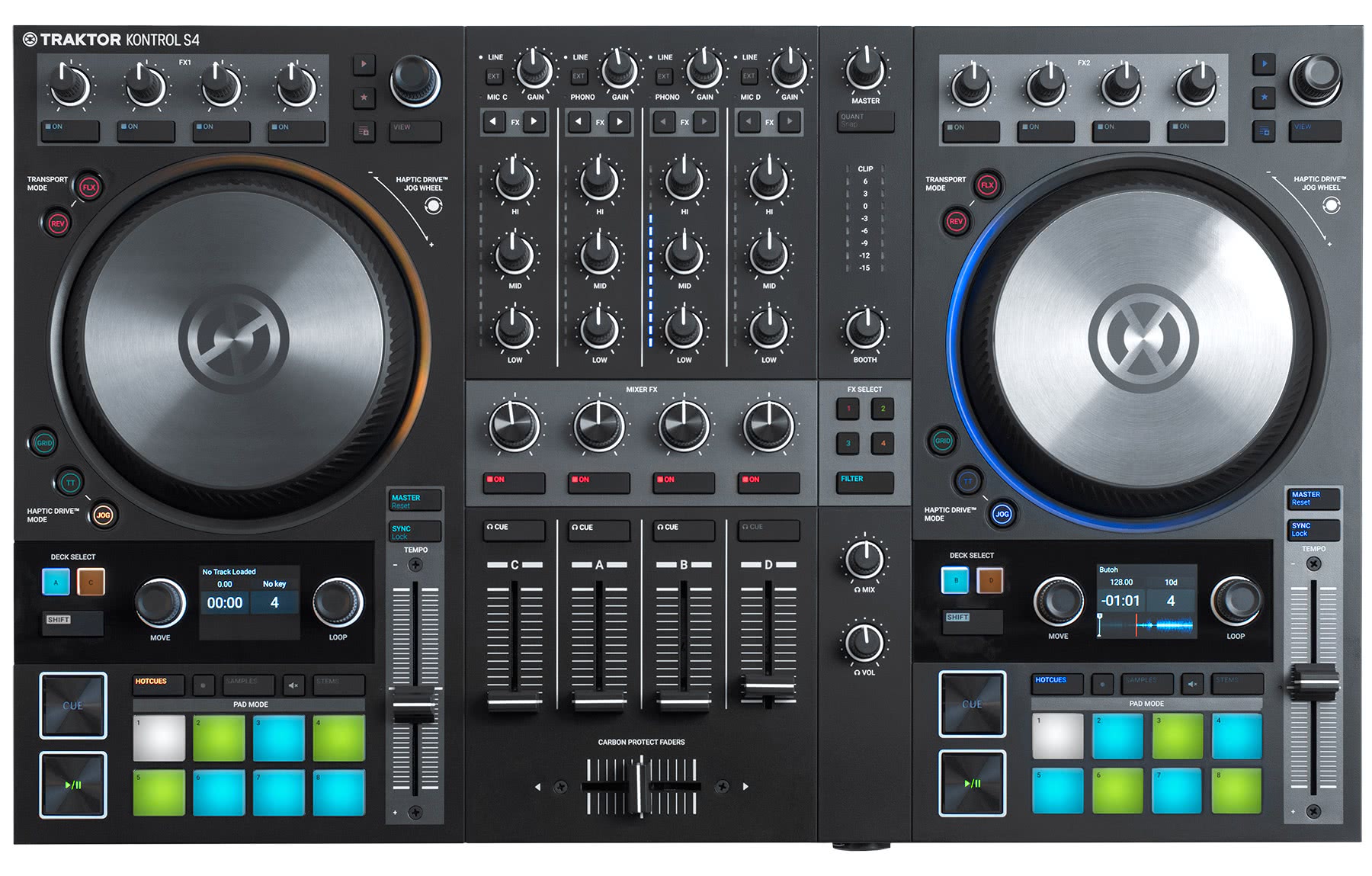
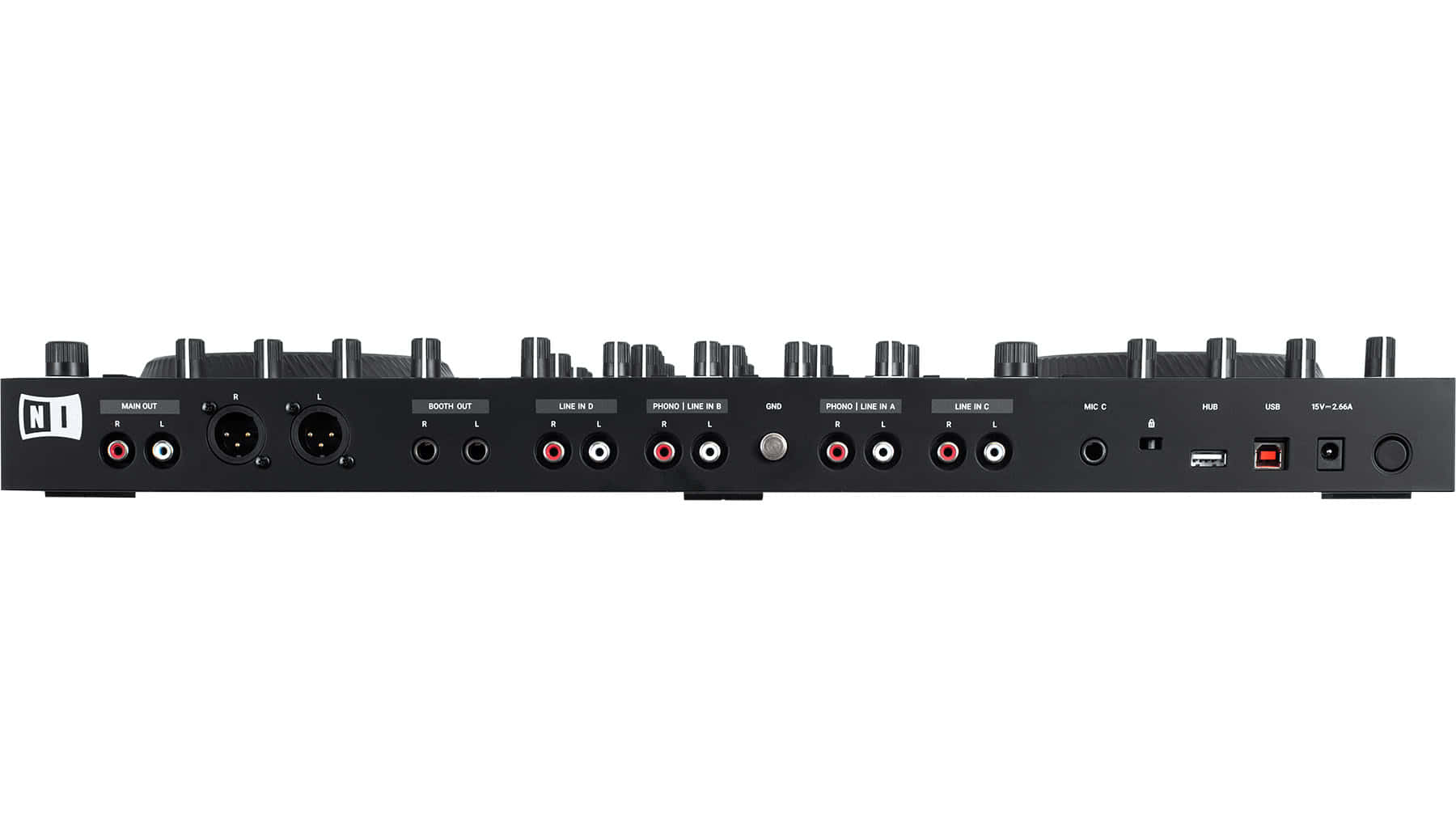
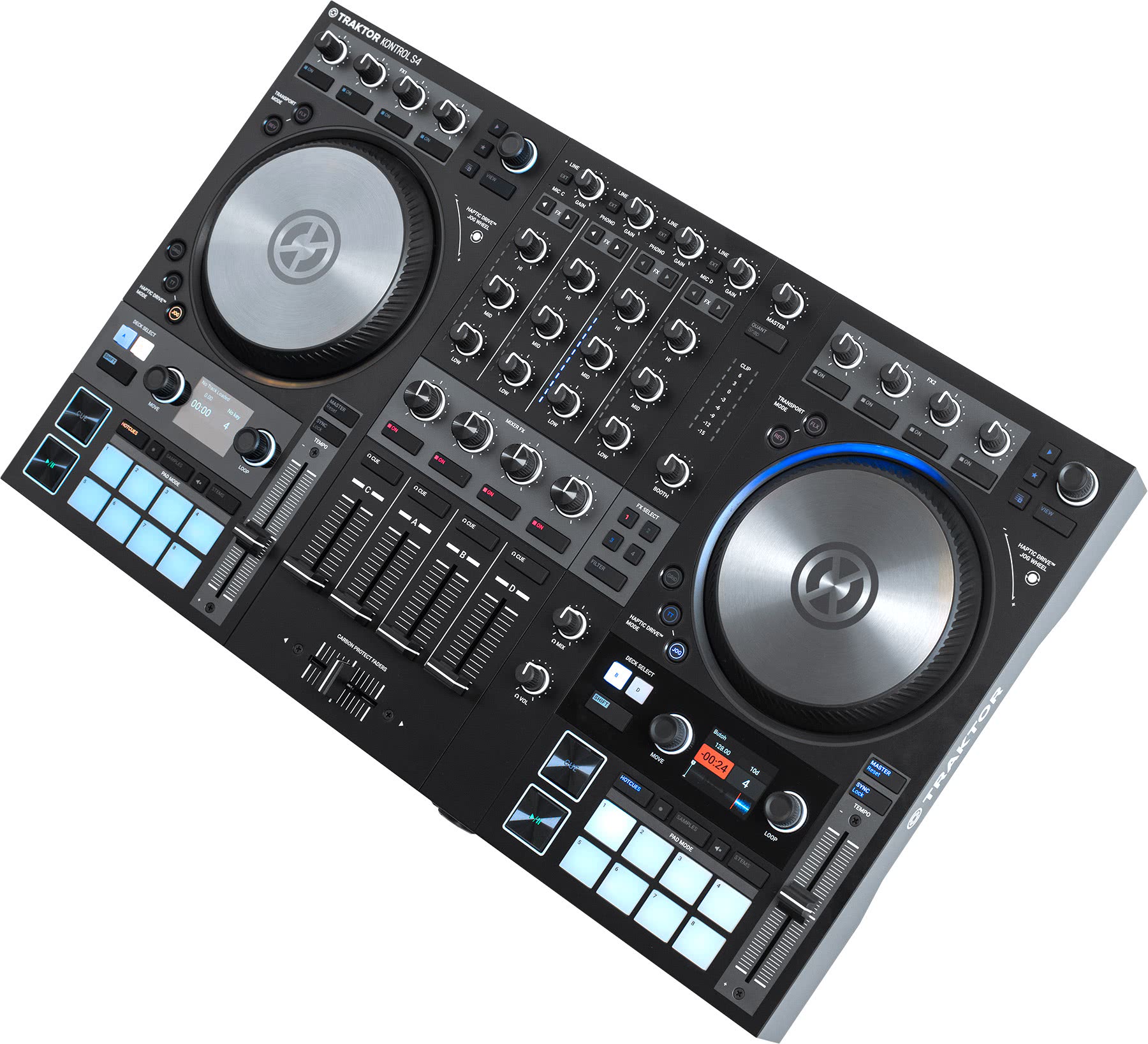
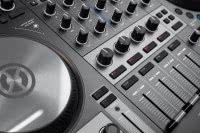 Insgesamt wirkt der neue S4 wie ein sehr ausgereiftes Produkt von Native Instruments. Native hat aus den vorherigen Controllern gelernt und das Beste zu einem einzigen Flaggschiff zusammengefasst. Der S4 ehrt das Vermächtnis des Plattenspielers mit Hochleistungs-Jogwheels, die überraschend gut mit dem begrenztem Gewicht und der kompakten Größe funktionieren - die meisten Jogwheels sind etwas größer und schwerer.
NI hat auch bei dieser Version ein radikales Facelifting durchgeführt und dabei Layout, Designsprache und Funktionalität völlig neu überdacht. In fast allen Fällen scheinen die Änderungen zum Besseren zu sein - obwohl sie etwas gewöhnungsbedürftig sind. Der Controller macht es auch möglich, Remix- und Stem-Decks mit den begrenzten Steuerelementen zu verwenden, die den meisten DJ-Sets ein einfaches Sequenzieren ermöglicht.
Und letztendlich: Mit einem großen Qualitäts-Update der Soundkarte und dem internen Audio-Prozessoren, wird mann wahrscheinlich auch eine Verbesserung der Klangqualität bemerken. Diese und weitere Änderungen bringen diesen Traktor-Controller mehr in Einklang mit den aktuellen Industriestandards und machen ihn zu einer soliden Wahl für die meisten DJs.
Zurück zu den Basics
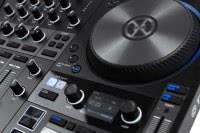 Native Instruments hat versucht, das Jogwheel bei den S8 und S5 Controllern zu ersetzen und bot stattdessen mehr Tasten, Bildschirme und Platz. Anscheinend hat dies nicht jedem zugesagt. Der S4 MK3 verfügt über fantastische motorisierte Jogwheels mit einstellbarer Spannung und - eine Premiere - haptischem Feedback.
Die Konstrukteure haben auch die Schnittstelle des neuen S4 komplett überarbeitet und viele der Konstruktionen aus früheren Kontrol-Einheiten aufgegeben. Stattdessen zielt das Design auf eine mutige neue "Pro"-Richtung ab, die sich auf Mixing, branchenübliche Workflows und DJ-Grundlagen konzentriert. Die meisten werden die Änderungen wahrscheinlich begrüßen, während Kontrol-Traditionalisten vielleicht bei ihren älteren Modellen bleiben wollen.
Die Jog Wheels sind die größte physische und revolutionäre Sache, die man beim ersten Einsatz des brandneuen Traktor S4 MK3 bemerkt. Dies ist ein radikales Update mit Magnettechnologie, die eine starke Rotation und haptisches Feedback in einem leichten, tragbaren Gehäuse bietet. Die Jogs sind ebenfalls größer und markanter, was das Scratchen am Gerät deutlich realistischer macht.
Kann man auf dem S4 Scratchen?
- Extrem niedrige Latenzzeiten nach dem Anpassen des Puffers sorgen für präzise Cuts.
- Antrieb, Widerstand und Drehmoment haben ein authentisches Plattenspielergefühl - Ein gutes Feeling!
- Das "Flattern" am Deck ähnelt bemerkenswert einem Plattenspieler mit Direktantrieb, macht die Einstellung im Handumdrehen intuitiv und entspricht echtem Vinylgefühl
- Jog-Größe sehr komfortabel für rundum gutes Scratch Feeling
- Die Bewegung der Jogs ist vertraut und lässt sich leicht auf schnelle Weise einstellen
- Insgesamt ein äußerst zufriedenstellendes Erlebnis mit hervorragender Auflösung bei schnellen und langsamen Scratches
Brandneu - Haptic Engine
Das absolut neueste Feature im S4 ist das Feedback der Haptic Engine. Die neuen S4 Jog Wheels können dynamischen Widerstand und Vibrationen erzeugen, die sich so anfühlen, als würde man sich über Unebenheiten, Rillen oder Spalten bewegen. Sehr verbreitet im Automobilbereich, aber dies ist das erste Mal, dass ein DJ-Unternehmen dieses High-End-Feature auf einem Controller eingeführt hat.
Die Idee dahinter ist, dass man die Beat-Raster und Cue-Punkte durch taktile Rückmeldung fühlen kann, anstatt sich auf den Bildschirm oder Kopfhörer zu verlassen. Die Gefühle darüber sind gemischt. Es war eine coole Erfahrung, aber kein Feature, das die Grundlage für meinen Workflow bilden wird. Das könnte sich aber in Zukunft ändern, denn die zugrundeliegende Technologie bietet eine unglaubliche Bandbreite an Potenzialen, die darauf warten, erschlossen zu werden.
Eine Sache, die die Haptic Engine perfekt ausführte, war die fantastische Plattenspieler-Emulation. Es war das Beste, was ich je auf einem Jog-Wheel erlebt habe. Vor allem wegen des haptischen Systems fühlen sich alle Eindrücke, die man auf dem Turntable gewohnt ist, bei einem 5" Jog Wheel nahezu identisch an, einschließlich Backspins, schnellen Releases und exzellenter Drehmomentsteuerung. Wenn man die Jog- oder TT-Taste gedrückt hält, kann man das Jogwheel bewegen und die "Tightness" des Rades erhöhen oder verringern. Dieser Prozess war sehr intuitiv und die resultierende Performance fühlte sich deutlich besser an als bei fast allen andern Wheels (z.B. bei CDJs), die mechanische Widerstandsmechanismen verwenden, um den gleichen Effekt grober zu erzeugen.
Überarbeitung des Audio Interfaces
Man bemerkt sofort, dass der Klang lauter und klarer zu sein scheint als bei früheren S5/S4/S8-Controllern. Das Traktor-Team berichtete, dass es tatsächlich einen aktualisierten DAC (Digital to Analog Converter) gibt, ein High-End-Modell mit vergleichbaren Ausgangspegeln wie CDJs. Es handelt sich um einen 24-Bit, 114db Cirrus Logic DAC. Dies ist der erste Controller von Native Instruments mit dieser speziellen Audiokarte und seinen Funktionen, die wirklich glänzen.
Die Kopfhörerausgänge klangen ebenfalls lauter, was willkommen war, da selbst die S5- und S8-Controller (die lautesten ihrer Art) noch gelegentlich in lauten Clubs etwas untergingen.
Neben der Soundkarte wurde auch das interne Mixing von Traktor Pro 3 aktualisiert. Das gesamte Mixing auf Traktor-Controllern erfolgt innerhalb des Computers (digitale Summierung), so dass NI in der neuen Softwareversion ein Update des Mischalgorithmus herausgebracht hat, das einen breiten, kristallklaren Klang liefert.
Tasten, Fader, Pads und Regler
Die Fader sind die gleiche Inverted-Fader-Technologie wie bei den großen S5/S8-Controllern (was eine große Verbesserung gegenüber den früheren S4 und S2s ist). Diese Fader reduzieren Staub und Schmutz, der in Standard-Fader-Konfigurationen eintritt, erheblich und verhindern so einen Ausfall mit der Zeit. Es war häufig beim originalen S4 MK1, dass ein oder zwei Fader irgendwann mit Jitter und Ghosting beginnen. Das war bei meinen eigenen S5 nicht der Fall, und beim Testen der neuen S4 MK3 fühlten sich die Fader wirklich, wirklich schön an.
Die Kontakte dieses Faders befinden sich auf der Unterseite des Faders und nicht auf der Oberseite (was bei herkömmlichen DJ-Geräten Standard ist). Dies gibt ihm eine viel bessere Chance, giftige Zuckergetränke und Kaffeepannen zu überleben.
Die Knöpfe und Knöpfe haben ebenfalls ein schönes Update erhalten, das sie professioneller aussehen lässt. Cue- und Play-Buttons nach Industriestandard sind jetzt viel größer und fühlen sich großartig an, mit einer spielbaren "clicky"-Leistung, die sich für jeden, der CDJs verwendet, vertraut anfühlt. Acht Gummi-Cue-Pad-Knöpfe sind etwas kleiner, aber dennoch sehr spielbar, und der Abstand ist eigentlich fingerfreundlicher als bei den größeren Vorgängerversionen. Alle Regler sind nun vertieft, mit einer Ausrichtung im Gain- und EQ-Bereich, der sich eher wie ein klassischer Mixer anfühlt.
Insgesamt lassen die Aktualisierungen von Mixer-Layout/Abstand, Komponenten und Styling dieses Controllers das Gerät viel mehr wie Pioneer DJ-Geräte aussehen und vom Feeling her lässt der allgegenwärtige DJM-900NXS/2-Mixer grüßen.
Mixer FX
Traktor ist bekannt für seine vielfältigen, tiefen FX-Sektionen mit detaillierten Reglern, die sehr ausdrucksstarke Klangpaletten bieten. Allerdings scheinen viele DJs die Tiefe dieser Engine nicht wirklich zu schätzen oder zu brauchen und bevorzugen schnelle "Turn and Go"-Effekte. NI hat mit einer neuen Mixer FX Effekt-Engine reagiert, die von den standardmäßigen 4 FX-Bänken getrennt ist. Dies sind einfache Delay-, Reverb- und Bitcrusher-Effekte in Kombination mit einem Tiefpass- oder Hochpassfilter an einem einzigen Regler im Mixerbereich, der schnellen Zugriff auf die wichtigsten Effekte gibt.
Einfach den Knopf nach links oder rechts drehen und man bekommt sofort einen Effekt, der sehr schön klingt. Der klassische Links/Rechts-Filter ist ebenfalls verfügbar, aber DJs können auch ihre eigene Wahl zwischen neun verschiedenen Mixer-Effekten einem der vier Preset-Tasten zuweisen und diese jeweils verschiedenen Decks zuweisen.
Display Updates
Das fühlt sich wie ein kleines, aber wichtiges praktisches Update an, das den Controller viel benutzerfreundlicher macht. Es gibt nun kleine RGB-Bildschirme, die wichtige Informationen über das Deck anzeigen. Anstatt der großen Bildschirme, die den Laptop weitgehend duplizieren, liefern diese gerade genug Informationen, ohne viel Platz einzunehmen.
In der aktuellen Version zeigen sie die Wellenform in voller Länge, was ich als relativ sinnlos empfand, aber das Team sagte mir, dass auch eine engere Wellenansicht möglich wäre, da sie in Zukunft möglicherweise benutzerdefinierbar sein wird.
Verbesserte Level und Master-Sektion
Es mag einfach erscheinen, aber klare, nützliche Pegelanzeigen sind entscheidend für jeden, der außerhalb seiner Wohung auflegt. Frühere Kontrollstellen fehlten in dieser Sektion weitgehend, und der neue S4 MK3 bietet einfache, aber dringend benötigte Updates.
- Die einzelnen Kanalmeter sind viel klarer und sichtbarer und sehen besser aus
- Die Mastermeter haben jetzt volle Mixergröße und sind viel praktischer als frühere Versionen
- Der neue "Master"-Bereich mit einfach erreichbaren Booth-, Headphone- und Master-Levels
Sollte ich upgraden?
Das ist eine sehr persönliche Frage, aber hier gibt es klare Gruppen, die stark vom Upgrade auf den neuen S4 profitieren können.
Für wen sich das Update lohnt
- Aktuelle Besitzer des S4 MK1/MK2 werden mit diesem neuen Controller einige sehr willkommene Hardware, Klangqualität und Leistungssteigerungen erhalten
- Jeder, der Traktor verwendet, der auf Jogwheels mit echten Vinyl Feeling scratchen möchte, ohne echtes Vinyl zu benutzen
- Besitzer der S5/S8, die Jogwheels verwenden wollen, um manuell zu Beatmatchen
- Besitzer der S2/S4/S5, die eine bessere Stem + Remix Deck Steuerung ohne zusätzliche Add-On Controller wünschen. Die Implementierung ist definitiv besser nutzbar
- Jeder, der besser klingende Ergebnisse wünscht, vergleichbar mit CDJs, aber Traktor-Hardware benötigt
Für wen sich das Update nicht lohnt
- Besitzer der S5/S8 Controller, die keine Jogwheels oder Pitchfader benötigen
- Jeder, der seine bestehende Button-Positionierung absolut liebt und keinen neuen Workflow erlernen will
- Wenn du viel zu Shows reist, besonders in einem Flugzeug, könnte der Controller für die meisten Rucksäcke und deine Schultern zu groß sein
Der Traktor Kontrol S4 MK3 ist HIER im Shop erhältlich.