Filter products
DAW Controllers
A DAW Controller is a specialized control device designed to control a Digital Audio Workstation (DAW). Unlike traditional operation using a mouse and keyboard, a DAW Controller offers a variety of physical controls such as knobs, faders, pads, and buttons. These allow for a tactile, intuitive, and often significantly faster workflow when producing, arranging, and mixing music.
The main function of a DAW Controller is to make frequently used functions of music software easily accessible – whether it's starting and stopping clips, adjusting volume levels, or playing drums and melodies. The creative workflow is central: Through physical interaction with the device, immediate, tactile feedback is created, which significantly supports the musical process.
Particularly in electronic music production or during live performances, the use of DAW controllers has become established. They offer a bridge between the digital work environment and the physical world of music-making, thereby promoting a more organic, focused approach to your music production.
Table of Contents
- Specialized Controllers for Specific DAWs
- Native Instruments Maschine, AKAI APC & Co. – Examples and Brands
- Advantages of Specialized DAW Controllers Over Universal MIDI Controllers
- Important Functions and Features of Modern DAW Controllers
- Selection by User Level: Beginners vs. Advanced
- What to Consider When Buying (Software Integration, Interface, Workflow)
- Compatibility and Integration into Existing Setups
- Recommendations by DAW – Which Controller for Which Software
- Price-Performance Ratio and Selection by Budget
- FAQ – Frequently Asked Questions about DAW Controllers
Average rating of 4.9 out of 5 stars
The Maschine MK3 combines precise hardware with a versatile production environment and is designed for everyone who wants to shape beats, edit samples and arrange complete songs. The integrated 24-bit/96 kHz audio interface makes the unit ready to record immediately, while two high-resolution color displays provide orientation and noticeably simplify workflows. Larger pads, touch-sensitive knobs and a well-thought-out control layout ensure that you can capture ideas without detours. Precise control thanks to modern user interface The two full-color displays give you a clear view of samples, parameters and arrangements. Here you edit material directly on the hardware – from exact sample slicing to adjusting individual notes. Additionally, the 4-directional push encoder offers fast navigation through sounds, kits and projects. This creates a direct workflow that works without constant mouse handling. Expanded performance possibilities The color-coded, velocity-sensitive pads respond sensitively to your playing and dynamics. For detailed adjustments, nine touch-sensitive rotary knobs are available, instantly taking over parameters and precisely reproducing sonic changes. A Smart Strip opens up additional forms of expression – for example pitch bends or effect control – adding a playful component to your performance. Seamless integration into software environments The combination of hardware and software makes the system a versatile production tool. Thanks to plugin hosting for VST and AU, you can integrate external instruments and effects directly. The tag-based browser provides fast access to extensive libraries, including Komplete Select. MIDI in/out expands your setup with external devices, while drag-and-drop export transfers MIDI and audio data effortlessly into your DAW. Flexible sampling and extensive workflow With wide sample compatibility – including formats from many MPC models – you can instantly use your existing libraries. The threshold detection simplifies recording processes and ensures cleanly captured material. Step sequencing, automation functions and real-time recording support you in building complex arrangements in a clearly structured way. Features Native Instruments Maschine MK3 Versatile production system with integrated 24-bit/96 kHz audio interface Two high-resolution color displays for editing, navigation, mixing and slicing Large pads and touch-sensitive knobs for dynamic finger drumming 4-way push encoder for fast browsing and level setting USB or power supply operation for flexible use Hybrid of sequencer, sampler and effects with direct hands-on control 16 pads, 47 buttons and 9 encoders for recording and automation Smart Strip for note control, pitch bends and creative effects Step sequencing, real-time recording, note repeat, slicing and auto-mapping VST and AU plugin hosting from other manufacturers Tag-based browser for fast access to sounds and effects Automation recording and step automation for precise sound design Compatible with many MPC programs Threshold-based sampling for external and internal sources Plug-in operation in AAX, VST, AU and RTAS MIDI in/out for external sequencing Drag-and-drop export of audio and MIDI Group macro controls for flexible parameter assignments MIDI-mapping software for use in other programs Technical Data Audio interface: 96 kHz / 24 bit Line outputs: 2 x 6.35 mm jack Line inputs: 2 x 6.35 mm jack Microphone input: 6.35 mm jack (dynamic) Headphone output: stereo 6.35 mm jack MIDI: 1 in | 1 out Footswitch: 1 connection USB: USB 2.0 Power supply: USB 2.0 or power adapter DAW compatibility: VST | AU plugin Multi-core support: full Supported formats: stand-alone | VST | AU | RTAS | ASIO | Core Audio | DirectSound | WASAPI Weight: 2.2 kg Dimensions: 320 x 301 x 41 mm Scope of Delivery Native Instruments Maschine MK3 USB cable Maschine software (download via Native Access) Komplete Select (download via Native Access)
Average rating of 5 out of 5 stars
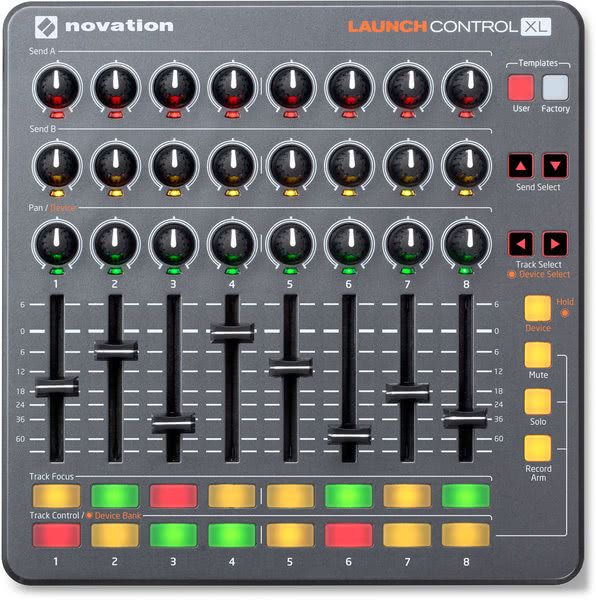
Novation Launch Control XL offers a well-thought-out combination of compactness, clarity, and flexible control. The controller was specifically designed for use with Ableton Live and enables direct and intuitive control of mixer, effects, and devices. You no longer have to constantly switch between screen and hardware – everything is right at your fingertips. The 24 rotary knobs are clearly arranged in three rows and reflect the structure of the Ableton mixer. Thanks to multicolored LEDs, you can immediately see which parameters are currently being controlled – whether EQ, send, or effect. The setup is complemented by eight 60 mm faders that allow precise mixing, as well as 16 colored function buttons that you can flexibly assign for mute, solo, record, or track focus. Launch Control XL can be fully customized to your individual needs. With the included software editor, you can create your own controller layouts and even change the color scheme of the rotary knobs. This way, you keep an overview even with complex setups. And if you use multiple devices, they can easily be combined into a larger system. Thanks to USB operation, no external power supply is necessary, making the controller particularly mobile. Whether Mac, PC, or iPad – connection is quick and easy. With a separately available MIDI-USB host, Launch Control XL even works independently as a stand-alone controller. The newly integrated HUI compatibility also expands the range of use to DAWs like Logic, Cubase, or Pro Tools. The package includes an extensive software collection, including Ableton Live Lite as well as high-quality virtual instruments and effects from providers like Softube, AAS, and XLN. So you have everything you need for professional productions from the start. Features Novation Launch Control XL MK2 Compact MIDI controller with 24 rotary knobs, 8 faders, and 16 buttons for full control of Ableton Live Colored LED rings on the knobs provide visual feedback for various parameters 8 faders with 60 mm length for precise volume control of your tracks Ideal in combination with Launchpad for comprehensive Ableton performance control Custom controller mappings can be created and saved via editor USB-powered and ready to use immediately without additional drivers Also works as a stand-alone controller in combination with a MIDI-USB host Compatible with Mac, PC, and iPad, including HUI support for Logic, Cubase, and Pro Tools Includes Ableton Live Lite and software package with virtual instruments and effects Technical Data Rotary knobs: 24 pieces with 300 degrees range of motion LEDs: 24 multicolored LED rings (one per knob) Faders: 8 pieces with 60 mm length Assignable buttons: 16 with multicolor backlighting | additionally 8 buttons with backlighting Template selection: 2 buttons with backlighting Connections: USB | Kensington lock Compatible operating systems: Mac OSX 10.9 | 10.10 | 10.11 | Windows 8 | Windows 10 Power supply: USB-powered | compatible with iPad Weight: 0.95 kg Dimensions (W x D x H): 240 x 240 x 39 mm Scope of Delivery Novation Launch Control XL Mk2 MIDI controller USB cable Ableton Live Lite 9 MIDI controller editor Loopmaster samples
Average rating of 5 out of 5 stars
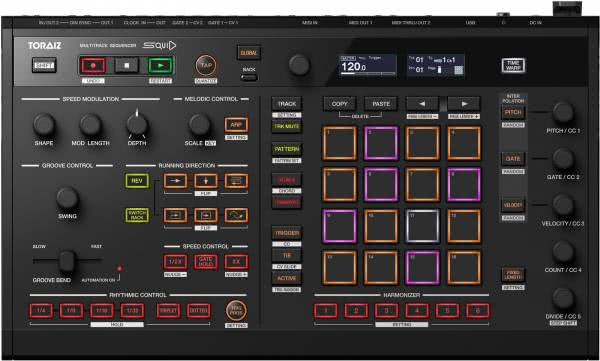
The Pioneer Toraiz Squid is an innovative multitrack sequencer that will completely excite any producer and live performer. With the Toraiz Squid, you can control synths and drum machines via USB, MIDI, CV, or DIN Sync. The sequencing capabilities are impressive, as well as the ability to play scales and chords in real-time with the 16 backlit LED performance pads. And with the ability to import and export sequence patterns easily with your Mac or PC, the Pioneer DJ Toraiz Squid sequencer is the ideal, powerful partner for music production as well as performances. One reason the Pioneer DJ Toraiz Squid is such a powerful master sequencer is its ability to connect with practically everything in the world of electronic music. - Want to use your laptop as a virtual synth rack? Connect the Toraiz Squid via USB and you're good to go. - Need a sequencer for your hardware synths? The Toraiz Squid features a MIDI input and two MIDI outputs for standard MIDI connectivity. - Want to control your Eurorack rig, a vintage synth, or a drum machine? The Toraiz Squid even offers CV/Gate and DIN Sync connectivity. With the Pioneer Toraiz Squid, you can create new patterns in no time. The interpolation feature allows you to generate a variation of your current pattern based on different parameters, fitting with your base pattern. Connect the Toraiz Squid to your Mac or PC via USB, and you can use the Squid Manager software to manage the sequences. The Squid Manager software is also a great way to prepare for a live performance - you can organize saved patterns for different sets and simply load the appropriate set before your show. Features of the Pioneer Toraiz Squid Multitrack hardware sequencer with USB, MIDI, CV, and DIN Sync connections Save up to 128 complete projects for immediate recall 16 sequencer tracks, each capable of holding 64 patterns Up to 64 steps per track, with up to eight notes per step Step resolution options include quarter note, eighth note, sixteenth note, thirty-second note, and sixty-fourth note Use the Squid Manager software to import/export patterns via Mac or PC Time Warp allows you to save a previously created phrase even if you have accidentally replaced it The Groove Bend slider adjusts the trigger timing to create rhythmic variations in real-time Transform your patterns on the fly with up to 48 possible sequencer playback directions The Speed Modulation section allows you to create new grooves by changing the playback speed of the sequencer The Harmonizer function lets you store and trigger up to six custom chords The Interpolation function automatically generates a pattern based on your settings for Pitch, Gate, and Velocity Technical Specifications Maximum Track Count: 16 Tracks Maximum Pattern Count per Track: 64 Patterns Maximum Step Count per Track: 64 Steps Maximum Number of Notes per Step (Polyphony): 8 Notes Maximum Number of Projects: 128 Projects Step Resolution Quarter Note Eighth Note Sixteenth Note Thirty-second Note Sixty-fourth Note Weight: 1.9 kg Dimensions (L x W x H): 375 x 224 x 72 mm Scope of Delivery Pioneer Toraiz Squid Power Adapter Power Cable Quick Start Guide Easy Workflow Thanks to the 16 illuminated LED pads in MPC style, you can quickly and easily create new phrases and patterns in the "Step Edit" section. The pads are also ideal for live performances or for playing drums and samples. With various sequencer functions such as interpolation or harmonizer, you can quickly and easily realize new sounds or ideas. Real-Time Arrangement Phrases you create can be rearranged or remixed in the Step Edit section. You can bend your sounds with features like pitch modulation, playback direction, or groove bend to create new, unique creations. Time Warp Function The Pioneer Toraiz Squid records everything in the background, so nothing is lost. You can always jump back with the Time Warp function if you've experimented too much. You can also save the current state as an idea for your next track as a pattern and then continue producing directly. Connective With the Squid, you can connect all your synthesizers, Eurorack devices, or even virtual instruments via USB and then control them. The numerous inputs such as USB-B socket, MIDI connectors, 2 sets of CV/Gate outputs, as well as Clock and DIN Sync inputs and outputs leave nothing to be desired. With the Squid, you can combine classic synthesizers or old-school drum samplers with modern VSTs and sequence them completely - all with just one device. Import-Export Of course, you can save and export your songs, patterns, or MIDI clips - or reload them. For this, the SQUID Manager software is available, which makes importing and exporting easy. The software is available for PC and Mac and can comfortably manage all your projects. Export a project from your DAW, import it into the Squid sequencer, edit and arrange it there with the many features of the hardware sequencer, and then import it back into your DAW.
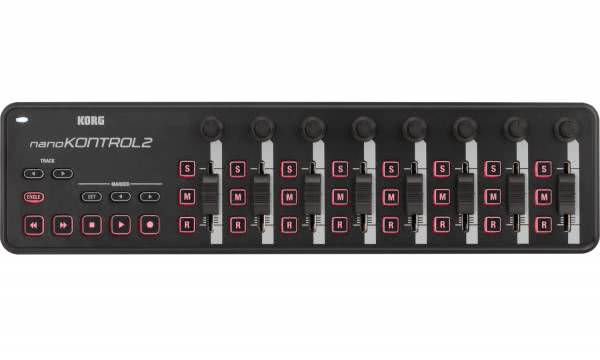
Compact control unit for your studio setup that gives you clear and direct control over your music software. Eight channels are available to help you capture automation cleanly, switch tracks purposefully and manage processes efficiently. Every move is instantly accessible, every action is implemented precisely – especially helpful when sessions grow and you want to keep an overview. Precise control per channel strip Each of the eight channels gives you your own fader as well as a flexibly assignable knob, complemented by three buttons for essential mix functions. This allows you to apply volume changes with finesse, control panning curves or switch mute, solo and record without detours. The direct response makes detailed work easier for you and ensures that automation stays lively and comprehensible. Intuitive transport section The transport control gives you a reliable operating base for your workflow. Rewind, Fast Forward, Stop, Play and Record are clearly structured and instantly accessible. Additionally, marker and track buttons help you move quickly through the arrangement, select tracks and set positions. This reduces mouse movements and keeps you more in the creative flow. Freely configurable workflow With the “Korg Kontrol Editor”, you can adjust every knob and button individually. A custom MIDI assignment lets you control soft synths, effects or envelopes directly. Compatibility with the iPad expands your mobile possibilities and makes apps like iMS-20 easy to control. This keeps your setup both flexible and future-proof. Mobile, clear and quickly integrated Thanks to its compact dimensions and USB power supply, you can place the control unit easily in front of your laptop or in a mobile setup. Integration into common DAWs requires no additional effort – software like Logic, GarageBand or other programs reacts directly to the controls. The available control surface plug-in for Apple software also makes it easier for you to access EQs and effects. Features Korg nanoKONTROL2 Compact USB controller with eight channels for clear control of DAWs and software synths Each channel with its own fader, knob and three buttons for precise automation handling Transport section with Play, Stop, Rec as well as Rewind and Fast Forward for full project control Two additional marker buttons for quickly setting and navigating the arrangement Track-select buttons for easy switching between tracks Works with nearly all DAWs without additional setup Korg Kontrol Editor for custom MIDI assignment via the free software Control surface plug-in for Logic and GarageBand available for free Compatible with iPads via Apple Camera Connection Kit and Core MIDI Available in black or white for seamless studio integration Powered via USB for mobile use without a power supply Technical data Controllers: 8 knobs | 8 faders | 24 buttons Transport buttons: Rewind | Fast Forward | Stop | Play | Record Additional buttons: Cycle | Marker | Track Compatible software: Pro Tools | Logic | GarageBand | Digital Performer | Cubase | Ableton Live | Sonar | all MIDI-CC compatible programs Connection: USB-Mini Power supply: USB (under 100 mA) Weight: 0.293 kg Dimensions: 325 x 83 x 30 mm Scope of delivery Korg nanoKONTROL2 USB controller USB cable
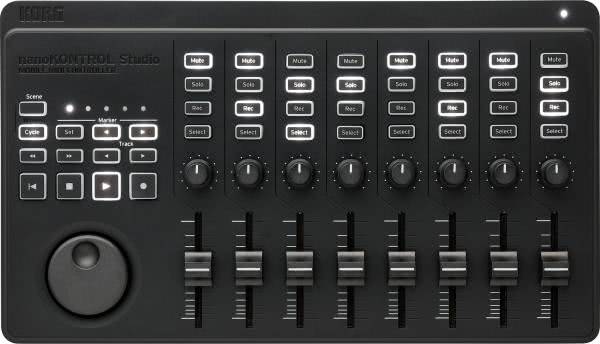
The compact controller gives you a precisely controllable surface that fits effortlessly into various production environments and gives you quick access to central functions of your music software. Wireless Flexibility The option to use the controller wirelessly via Bluetooth Low Energy provides freedom in your workspace. Especially when you're on the go or working with mobile devices such as tablets, you benefit from a clean working area. The connection is established stably and operates with very low latency, ensuring that even sensitive automation or transport commands are executed reliably. Structured Control Surface With eight faders, eight knobs and 32 clearly illuminated buttons, you have a thoughtfully designed layout that allows intuitive control. The illumination supports you even in low ambient light, while the logically arranged controls remain easy to grasp. The centrally integrated jogwheel helps you navigate your DAW and supports you when precisely editing or quickly switching between tracks. Customisable Workflow Five storable scenes allow you to prepare different controller layouts and recall them immediately when needed. This is especially useful if you regularly switch between different software environments or project types. Thanks to the wide compatibility, you can control almost any common DAW without having to dive into complex mappings. Software Support Included With the controller, you receive an extensive software bundle that both eases your introduction and enables direct application. This lets you become productive without additional purchases or meaningfully expand existing setups. The native integration into KORG Gadget also ensures automatic assignment of the control elements. Usable on the Go Thanks to its lightweight, robust construction and selectable battery or USB operation, the device is ideal for mobile sessions. Up to ten hours of battery life allow longer use without relying on a power source. Features Korg nanoKONTROL Studio Compact wireless MIDI controller with versatile layout of faders, knobs and buttons Supports Bluetooth LE and USB for flexible connectivity in the studio and on the go Illuminated transport section and integrated jogwheel for direct control of central DAW functions Compatible with KORG Gadget and common DAWs such as Logic, Live, Cubase, GarageBand, Pro Tools and Studio One Works with any software that understands MIDI Control Change Five scene memories for individual controller configurations Robust, handy format that requires less space than an A4 sheet Includes software bundle for immediate use without additional costs USB or battery operation with low power consumption Technical Data Controller: 8 knobs | 8 faders | 32 buttons (Mute | Solo | Rec | Select x 8) Transport control: Play | Stop | Rec | Rew | FF | Cycle | Marker | Track Forward/Back Scene Memory: 5 Connections: USB port (Micro B type) Wireless protocol: Bluetooth Low Energy Power supply: USB bus or 2x AAA batteries Battery life: approx. 10 hours (with alkaline batteries) Power consumption: less than 500 mA Weight: 0.459 kg Dimensions: 278 x 160 x 33 mm Scope of Delivery Korg nanoKONTROL Studio MIDI controller USB cable License code for the KORG software bundle
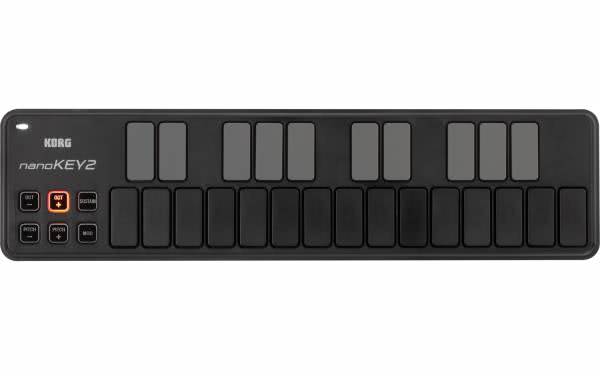
A compact USB MIDI keyboard that combines precise playability with high flexibility and is suitable both for mobile use and for your desk. The 25 velocity-sensitive keys respond reliably to every movement and can be adapted to different playing styles thanks to four selectable velocity curves. Precise keys for focused work The pleasantly spaced keys support a clean playing feel, even when things get fast or complex. Thanks to the slim design, the device remains extremely space-saving without feeling limited during operation. Every input sits exactly where you want it – ideal for spontaneous ideas or detailed recordings. Enhanced control over pitch, modulation and sustain The integrated buttons for pitch, modulation and sustain offer direct expressive control without needing additional equipment. For harmonic jumps or creative melodic lines, octave switching across eight ranges as well as a transposition function are available. This gives you access to the full MIDI note range while keeping oversight even during experimental sessions. Mobile use without distraction Pure USB operation ensures a tidy workspace, as neither a power supply nor additional cables are required. Combined with a laptop or tablet, you get a mobile setup that is immediately ready to use. Especially the compatibility with iOS devices makes the keyboard a solution for everyone who wants to stay productive on the go without compromising usability. Individual adjustment via software With the free KORG Kontrol Editor, you gain access to a targeted configuration of the keyboard. From assigning individual control commands to selecting suitable velocity curves, the device can be adapted precisely to your personal requirements. This makes it a reliable tool for different workflows and music projects. Features KORG nanoKEY2 Ultra-compact USB MIDI keyboard with a clearly structured 25-key layout Four selectable velocity curves for a flexible and adaptable playing feel Pitch Up/Down, modulation and sustain as separate buttons for direct control Octave switching across up to eight ranges plus transposition for extended tonal range Power supply and data transfer via USB for uncomplicated mobile use Integration with iPad via Apple Camera Connection Kit Compatible with free KORG Kontrol Editor software for individual customization Available in black or white Technical Data Number of keys: 25 Velocity curves: 4 Controls: Pitch Up/Down | Modulation | Sustain | Octave Up/Down Octave range: -4 to +4 Compatible software: All host applications with MIDI input Connections: USB Mini Power supply: via USB (less than 100 mA) Weight: 0.244 kg Dimensions: 325 x 83 x 16 mm Scope of Delivery KORG nanoKEY2 USB MIDI keyboard USB cable
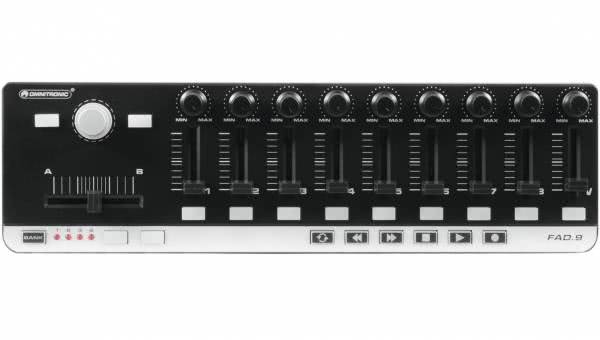
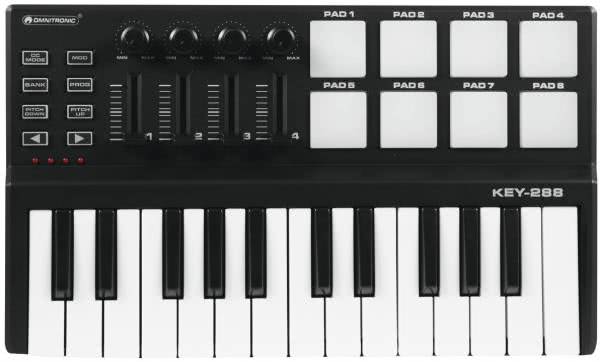
Creative music production requires tools that are flexible, mobile, and powerful at the same time. The compact MIDI controller from Omnitronic offers you exactly that – an intuitive and versatile control center for your music production or live setup. At the home studio, on the go, or on stage – this device adapts seamlessly to your needs and opens up new possibilities for sound design. With 9 freely assignable faders, 9 rotary knobs, and 13 buttons, you have full control over your music software. Additionally, 6 transport buttons such as Play, Stop, or Record provide direct control over essential functions. Through the 4 programmable memory banks, you can quickly recall different setups and assignments – ideal when switching between projects or programs. The connection to your computer is very simple via USB. Thanks to plug-and-play compatibility, you don’t need to install drivers – just connect and start. The controller works reliably with all common audio software solutions and is compatible with both Windows and macOS systems. This makes it a perfect companion for DAW users, DJs, and performers of all experience levels. The design impresses with an ultra-light construction that fits easily into any laptop bag. Weighing only 480 grams, the MIDI controller is ideal for mobile use. Whether in the home studio or on tour – the robust build and compact dimensions make it a reliable partner for your musical ideas. Expand your DJ setup, optimize your studio work, or add more dynamics to your live performance. The versatile controller from Omnitronic gives you the ability to control your music production precisely and significantly improve your creative workflow. Maximum flexibility with minimal space requirements – exactly what modern music creators need. Features OMNITRONIC FAD-9 MIDI Controller USB MIDI controller for creative music productions on PC and Mac Also suitable for mobile DJ use or solo entertainers Super lightweight design for easy transport in any laptop bag Compatible with almost any audio software on Windows and macOS 9 freely assignable rotary knobs for individual control options 9 freely assignable faders for direct control of volume, effects, or parameters 13 individually assignable buttons to extend control 6 transport buttons for Play, Stop, Rewind, Fast Forward, Loop, and Record 4 programmable memory banks for quick configuration Master fader for central volume control Plug and play capable, ready to use without driver installation MIDI capable for seamless integration into existing setups Technical Data Power supply: 5V DC 500 mA Power connection: Mini-USB (W) built-in version with USB-A cable (included) Control: Plug and play USB connection: USB 2.0, Mini-USB (W) type PC connection: via USB MIDI capable Compatible operating systems: Win XP, Vista, 7, 10, OS X 10.3 or higher Weight: 0.48 kg Dimensions (W x D x H): 345 x 97 x 39 mm Scope of Delivery 1 x OMNITRONIC FAD-9 MIDI Controller 1 x user manual 1 x USB cable 1 x CD
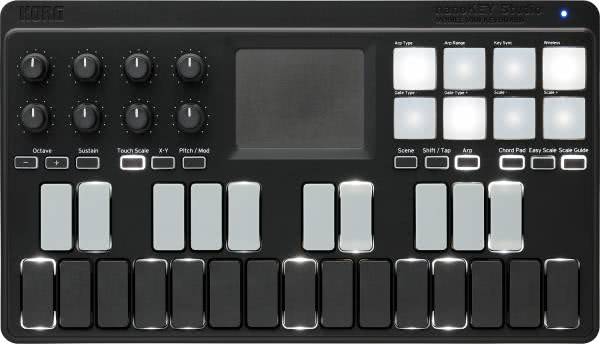
A compact studio tool that, despite its minimal size, is amazingly versatile and offers you a well-designed control center for your music software both on the go and at your desk. With its clear layout, the mobile keyboard effectively supports you when sketching, arranging and performing – wirelessly or traditionally via USB. Precise control in a small format The 25 low-profile keys give you direct access to melodic ideas and respond reliably to your playing. The keyboard is complemented by velocity-sensitive pads that are ideal for drums, samples or short patterns. For fine adjustments, eight freely assignable knobs are also available, allowing you to adjust parameters quickly and without searching through menus. The well-known KAOSS-series X-Y pad also opens up intuitive options for modulations and effects, which is especially inspiring when experimenting. Wireless connection for more freedom of movement The Bluetooth function ensures that you can use the device without additional cables and keep your workspace flexible. Especially in combination with iOS devices, wireless operation proves to be a convenient solution, as setup is straightforward and requires no driver installation. If you prefer to work traditionally, the USB port is always available. Efficient workflow features for everyday creativity The integrated arpeggiator makes it easier to develop rhythmic patterns, while step recording enables quick sketches without having to record a full performance. This makes the device suitable for both spontaneous ideas and detailed work. Thanks to its compact design, it is easy to transport and fits into any mobile setup. Flexible power supply for on the go You decide how the device is powered: via USB or with 2x AAA batteries. This keeps your setup usable even in places where no fixed power source is available. The battery life is sufficient for long sessions without interruption. Features Korg nanoKey Studio Compact MIDI controller with keys, pads, knobs and X-Y pad for mobile music production Flexible use via USB or wireless Bluetooth/Wireless connection 25 velocity-sensitive keys with backlighting 8 velocity-sensitive trigger pads for drums or samples 8 freely assignable knobs for parameter control X-Y touch pad in the style of the KAOSS series for intuitive modulations Step recording for quick idea sketches Integrated arpeggiator for rhythmic patterns Compatible with PC, Mac and iOS Extensive software package included via download Technical data Power supply: USB bus or 2x AAA batteries Battery life: approx. 10 hours Weight: 0.471 kg Dimensions: 278 x 160 x 33 mm Scope of delivery Korg nanoKey Studio MIDI controller USB cable 2x AAA batteries Activation code for the KORG software bundle
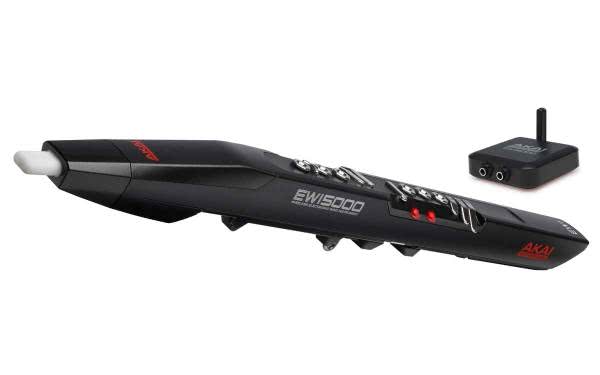
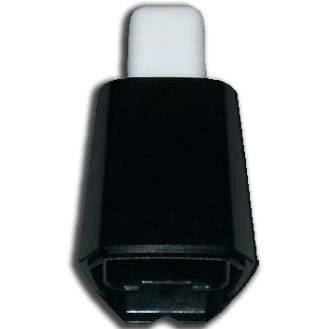
A worn or lost mouthpiece can quickly spoil the joy of playing – especially with such a precise instrument like an electronic wind instrument. With the Akai Professional EWM1, you have a perfect replacement available that reliably restores the original playing quality. Developed as an original part by the manufacturer, this mouthpiece fits perfectly on the models EWIUSB, EWI4000S, and EWI5000 and ensures a natural playing feel. Especially with the EWI, which relies on the sensitive controls of breath pressure and lip movement, a precisely crafted mouthpiece is crucial. The EWM1 sits securely on the instrument without needing adjustment or any play. This keeps the control over articulation and dynamics exactly as you are used to – without compromises. The combination of a smooth surface and ergonomic shape also makes cleaning easier and increases comfort while playing. A reliable mouthpiece makes all the difference. With the EWM1, you maintain your usual approach without having to adjust to a new playing feel. Simply swap it out and keep playing – ideal for anyone who relies on their instrument and has no time for experimentation. The compatibility with multiple generations of the EWI series makes this replacement part particularly flexible. Whether you’re still working with the classic EWI4000S, using the portable EWIUSB version, or opting for the wireless EWI5000 with an integrated sound library – the EWM1 is the right choice for all three versions. Features Akai Professional EWM1 Original replacement mouthpiece for all EWI models of the EWIUSB, EWI4000S, and EWI5000 series Ensures precise control of breath pressure and lip movement, just like the original Easy replacement without tools for quick repairs Perfect design for secure fit and natural playability Smooth polished surface for comfortable contact and easy cleaning Technical Specifications Compatibility: EWIUSB | EWI4000S | EWI5000 Material: Plastic Color: Black Weight: 0.02 kg Dimensions (W x D x H): 20 x 20 x 60 mm Scope of Delivery Akai Professional EWM1 Mouthpiece
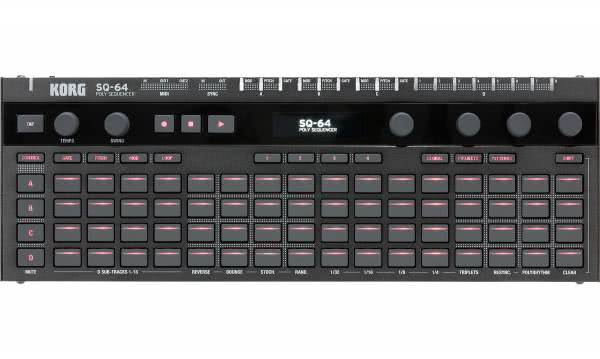
Unobtrusive format meets far-reaching control: This polyphonic step sequencer combines a clear structure with a thoughtful workflow, allowing you to implement complex musical ideas with precision. With its versatile control functions, the 64 velocity-sensitive pads, and an easy-to-read OLED display, the device quickly becomes the central tool in your setup – whether you're controlling melodies, rhythms, or modular signals. Precise control thanks to a well-designed interface The control surface gives you direct and tidy access to all relevant parameters. Fixed knob assignments, clearly separated track control, and various step modes such as GATE, PITCH, and MODULATION let you work in a structured way without detours. Chord progressions, rhythmic variations, or modular movements can be shaped in a short time and safely stored in one of 64 project slots. Versatile connectivity for hybrid setups The connections in particular make the sequencer a flexible mediator between a wide range of devices. Three tracks with separate CV outputs – each for PITCH, MOD, and GATE – allow direct control of analog synthesizers. This is complemented by eight individually configurable trigger outputs whose polarity and voltage can be adapted to different systems. This lets you combine the sequencer effortlessly with modular systems, drum modules, or DAWs. Creative performance aids and variable performance modes Several live functions are available for spontaneous interventions. The step matrix can be used as a keyboard – either in a classic layout or in an isomorphic arrangement that makes chord playing and transposition easier. Added to this are a flexible arpeggiator and four different playback modes such as “Reverse” or “Stochastic,” which allow you to vary existing sequences at any time. This supports dynamic workflows and provides reliable orientation even in improvised playing. Robust design and ready for immediate use The flat aluminum housing ensures stability while taking up little space. With a height of only 18 mm, the sequencer integrates easily into existing work environments. Power is supplied via USB or an optional power adapter. In addition, you receive a comprehensive software package that immediately gives you additional instruments, effects, and production tools – a meaningful starting point for digitally processing your sequences. Features Korg SQ-64 Compact step sequencer with three polyphonic melody tracks and one drum track for controlling synths, drum machines, and software 64 velocity-sensitive LED pads with variable brightness for visualizing step values Three melody tracks with separate outputs for pitch, gate, and modulation for controlling external devices Drum track with eight individually configurable trigger outputs for analog and modular systems Intuitive real-time control with three keyboard modes and direct live editing of patterns High-resolution OLED display for clear readability in various environments Four playback modes per track (Reverse, Bounce, Random, Stochastic) for variable musical workflows Optimal integration into DAWs and hardware through MIDI, Sync I/O, and USB connectivity Extremely flat, robust aluminum housing for long-term use Extensive software package including DAW, mastering tools, and virtual instruments Technical Data Sequencer: Step sequencer with 64 steps | 3 melody tracks with 8-voice polyphony | 16 mono rhythm tracks Tempo: 30.0 – 300.0 BPM Inputs: MIDI IN (3.5 mm stereo mini-jack) | SYNC IN (3.5 mm mono mini-jack) Outputs: MIDI OUT 1 | MIDI OUT 2 (each 3.5 mm stereo mini-jack) | SYNC OUT (3.5 mm mono) | CV GATE A/B/C | CV PITCH A/B/C | CV MOD A/B/C | TRIG 1–8 (each 3.5 mm mono) Power supply: USB bus or optional DC 9V adapter Weight: 1.0 kg Dimensions Dimensions: 341 x 119 x 39 mm Included Korg SQ-64 step sequencer USB cable User manual KORG Collection - M1 Le UVI Digital Synsations AAS Ultra Analog Session AAS Strum Session AAS Lounge Lizard Session Reason Studios Reason Lite iZotope Ozone Elements KORG Gadget 2 Le for Mac Skoove Premium (3 months access)
Specialized Controllers for Specific DAWs
Modern DAW controllers are often not all-in-one solutions anymore, but are specifically developed for use with certain music production programs. This specialization enables a particularly close integration with the respective software and ensures an intuitive and efficient operation. Instead of working with general MIDI assignments, specialized controllers communicate directly with the DAW and provide access to functions such as clip launching, automation control, step sequencing, or mixing – without complex configurations.
Typical examples of this close software-hardware integration are:
- Ableton Live: The AKAI APC series and the Ableton Push are specifically tailored to Ableton's clip-based structure. They allow scene launching, step programming, and live control without using a mouse.
- FL Studio: The Novation FLkey series offers dedicated controls for channel racks, mixers, and transport functions and integrates seamlessly into the user interface.
- Native Instruments Maschine: Maschine is a combination of controller and software that are fully synchronized. The hardware mirrors the entire software interface and allows for completely computer-independent work (e.g., with Maschine+).
The advantages of this specialization are clear: less technical effort, more direct access to creative functions, and an overall smoother workflow. However, it is crucial that the chosen controller truly fits the DAW – otherwise, a large part of its potential remains unused.
Native Instruments Maschine, AKAI APC & Co. – Examples and Brands
Two manufacturers have stood out in the world of DAW controllers and offer devices that are closely integrated with specific software solutions. This combination of well-thought-out hardware and seamless software integration makes them the top choice for many producers.
Native Instruments Maschine
Native Instruments has created an ecosystem with the Maschine series that closely connects controllers and music software. The Maschine controllers – including the popular Maschine Mk3 or the standalone version Maschine+ – are equipped with velocity-sensitive pads, colored displays, and intuitive controls. Especially in beat production, sampling, and live arrangement, Maschine shows its strengths. The combination of powerful software and dedicated hardware allows for nearly computer-independent work, while maintaining precise control over effects, instruments, and patterns.
AKAI APC Series
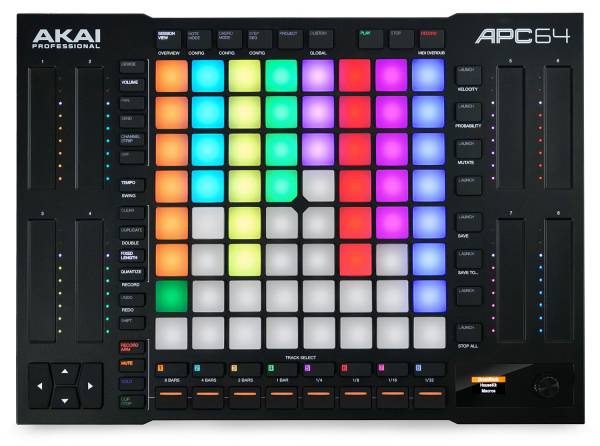
The AKAI APC (Ableton Performance Controller) series was specifically designed for Ableton Live. Its characteristic feature is the 8x5 grid of pads, which allows for direct triggering of clips and scenes in Ableton. Models like the APC40 mkII or the more compact APC Key 25 also provide knobs, faders, and buttons for comprehensive control of the mixer, effects, and transport functions. The APC series caters to both beginners and live performers looking for a robust yet easy-to-understand solution.
Other Relevant Brands and Devices
In addition to Native Instruments and AKAI, other manufacturers also offer high-quality DAW controllers with specialized focus:
- Ableton (Push 2): Official controller for Ableton Live with comprehensive control over all DAW functions.
- Novation: Launchkey and FLkey series with deep integration into Ableton Live and FL Studio.
These manufacturers offer a wide range of devices for various needs – from clip control to precise fader automation.
Advantages of Specialized DAW Controllers Over Universal MIDI Controllers
Specialized DAW controllers offer several key advantages over universal MIDI controllers, especially when working on music production or live performances:
- Direct Software Integration: Unlike general MIDI controllers, which usually need to be manually assigned and configured, specialized DAW controllers work immediately with the respective software. Many models recognize the DAW automatically and adjust their functions accordingly. This saves time and minimizes technical hurdles when starting.
- Visual Feedback: Many controllers feature displays, RGB pads, or LED grids that visually display information such as clip states, parameter values, or effect assignments. This allows for faster orientation and immediate feedback on actions without constantly needing to check the computer screen.
- Optimized Workflow: By assigning controls to DAW-specific functions, the workflow is accelerated and made more intuitive. Transport functions, mixer parameters, automations, or clip triggers are easily accessible. This enhances efficiency and makes the creative flow smoother – both in the studio and on stage.
- Specialized Functions Based on Software: DAW controllers often come with specific features tailored precisely to the respective music software. Examples include step sequencers on Maschine or clip launchers on the APC series for Ableton Live. These functions enable a workflow that could only be replicated with great effort using universal controllers.
Important Functions and Features of Modern DAW Controllers
Modern DAW controllers offer a variety of features tailored specifically to the needs of music producers, beatmakers, and live performers. Comfort, creative control, and seamless integration into the software environment are the main focuses. The most important features include:
- Drum Pads with Velocity Sensitivity: These pads respond sensitively to the force of your touch, allowing nuanced beat, percussion, or melody creation. Many models also feature RGB lighting for visual feedback.
- Faders and Knobs for Mixing Control: Whether volume, panorama, or effect parameters – these elements allow for intuitive, real-time control of the mix. Motorized faders are particularly popular on high-end controllers because they automatically adjust their position according to the DAW.
- Transport Controls (Play, Stop, Record): These buttons allow direct control of the DAW without a mouse. Especially during recording or arranging, this saves time and enables a more focused workflow.
- Displays for Parameter Feedback: High-resolution displays or small OLED screens show current parameters, track names, or effect values. This helps keep track of things, even in complex projects.
- Encoders with Push Function: These multifunctional knobs can be pressed and turned to navigate menus or fine-tune parameters. They are a central part of the user interface in many DAW-specific controllers.
- USB or MIDI Connection: The connection to the DAW is typically made via USB, often with plug & play support. Some models also offer classic MIDI connections to integrate external hardware like synthesizers or drum machines.
These features form the foundation for an efficient, creative, and comfortable experience when working with music software – regardless of the music style or work environment you choose.
Selection by User Level: Beginners vs. Advanced
Beginners
For beginners in the world of music production or DAW control, controllers that are easy to handle and offer a manageable set of features are ideal. These devices are often compact, easy to understand, and ready to use immediately, without requiring complex setup. Particularly notable here is the plug & play approach, where the controller is recognized right away, and basic functions are immediately available. Models that come with an entry-level version of the corresponding software are ideal to get started right away.
Suitable models:
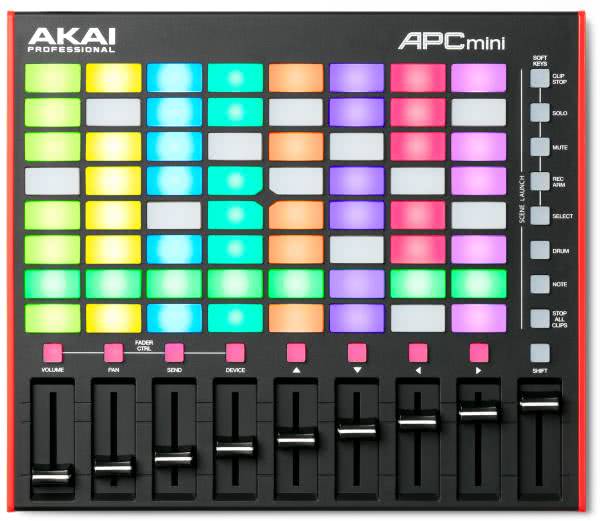
- AKAI APC Mini: Compact grid controller for Ableton Live
- Novation Launchkey Mini: Mini keyboard with integrated controls for Ableton Live and other DAWs
Advanced
Advanced users have higher demands regarding functionality, customization options, and integration depth. Devices for this group offer more controls, displays, programmable functions, or even standalone capabilities. These controllers can be deeply integrated into the DAW, enable control of complex setups, and are designed for intensive work in the studio or on stage. Expandability through software presets, user profiles, or firmware updates also plays an important role in this category.
Suitable models:
- Maschine+: Powerful pad controller with its own software, also usable standalone
- Pioneer DJ Toraiz Squid: Versatile multitrack sequencer with full DAW compatibility and CV/MIDI control for hybrid studio and live setups
What to Consider When Buying (Software Integration, Interface, Workflow)
When buying a DAW controller, it is worth considering several central factors to find a device that best matches your needs and existing music software:
- Compatibility with your DAW: Not every controller works well with every software. Many devices are specifically tailored to one DAW – for example, Ableton Push for Ableton Live or Maschine for the corresponding software. Check if the controller works with your DAW without additional effort.
- Number and quality of controls: Depending on the application, the controller should have sufficient pads, knobs, faders, and buttons. The feel is also important: Well-made controls support precise work and provide a better playing experience.
- Build quality and mobility: If you're often on the go or perform live gigs, you'll need a robust yet light device. In the studio, the controller can be larger and provide more stability. The material (e.g., aluminum housing vs. plastic) is also a factor.
- Software license included?: Some controllers come with the appropriate software or a stripped-down version, such as Ableton Live Lite or Maschine software. This saves costs and allows for an immediate start without additional investments.
- Workflow benefits over mouse operation: Consider whether the controller will actually improve your workflow. A good controller allows for smoother work, speeds up processes, and provides creative impulses that wouldn't arise from the screen. It is important that it complements your production process rather than just duplicating functions.
Compatibility and Integration into Existing Setups
A high-quality DAW controller should integrate smoothly into an existing studio or live setup without much configuration effort. This involves not just the physical connection, but also ensuring seamless communication with the software being used, as well as with other components in the system. Key points to consider:
- Plug & Play or manual mapping required? Ideally, the DAW automatically recognizes the controller and assigns the appropriate functions. However, some devices require manual mappings, which can be a bit of effort depending on your software knowledge.
- Operating system compatibility (Windows, macOS): Before purchasing, make sure the controller is fully compatible with your operating system. Some controllers offer limited functionality or require special drivers.
- Power supply via USB or external power adapter: While many compact devices can be powered directly via USB, more powerful models may need their own power adapter. This is especially important for mobile use.
- Integration with other controllers and interfaces: If you already use MIDI keyboards, audio interfaces, or other controllers, check that the new DAW controller integrates seamlessly into your overall system. MIDI through functions, additional ports, or the ability to use multiple controllers at the same time can be decisive here.
A well-integrated DAW controller enhances the setup sensibly without complicating it – and plays a major role in a smooth workflow.
Recommendations by DAW – Which Controller for Which Software
Not every DAW controller fits every music software. Many devices are specifically tailored to a certain DAW and offer the best results in terms of workflow, integration, and user experience. The following overview shows which controllers are particularly well-suited for which software:
| DAW | Recommended Controllers | |
|---|---|---|
| Ableton Live | Ableton Push 2 (official controller with deep integration), AKAI APC series | ![]() |
| FL Studio | Novation FLkey series (direct control of channel racks, mixer, and transport functions) | |
| Logic Pro | Presonus Faderport (precise mixing control), NI Maschine Mk3 for creative beatmaking | |
| Cubase / Studio One | Presonus Faderport series, Novation Launchkey (including mixer and transport control) | |
| Maschine Software | Native Instruments Maschine Mk3, Maschine+ (full integration into the software) |
These recommendations are based on the best native support, the depth of integration, and the user comfort within the software environment. For hybrid setups, it's worth considering flexible controllers with multiple assignments.
Price-Performance Ratio and Selection by Budget
DAW controllers come in various price ranges. Depending on the requirements, intended use, and features, it may be worth focusing on specific devices. The following table provides a detailed comparison overview – including price range, features, connectivity options, DAW compatibility, and example models:
Budget Controllers
![]() |
![]() |
|
| Model | Novation Launchkey Mini MK3 | Akai APC Mini MKII |
| Price (approx. in €) | 109€ | 99,99€ |
| Features | Compact keyboard with RGB pads, integrated arpeggiator, optimized for Ableton | Grid controller with 8x8 RGB pads, specifically for Ableton Live |
| Connections | USB-B | USB-B |
| DAW Compatibility | Ableton Live, Logic, FL Studio, Reason, Cubase | Optimized for Ableton Live |
| Ideal for | Beginners, mobile production | Clip launching, compact live setups |
Mid-Range Controllers
![]() |
![]() |
|
| Model | Novation Launch Control XL Mk2 | Akai APC 64 |
| Price (approx. in €) | 169€ | 299€ |
| Features | 24 knobs, 8 faders, optimal for mixing & effects | RGB pads, touch strip, step sequencer, deeply integrable |
| Connections | USB-B | USB-C, MIDI Out |
| DAW Compatibility | Ableton Live, MIDI-learnable for other DAWs | Ableton Live, standalone MIDI control |
| Ideal for | Live mixing, fader control | Live performers, deeper integration |
High-End Controllers
![]() |
![]() |
|
| Model | Pioneer DJ Toraiz Squid | Native Instruments Maschine+ |
| Price (approx. in €) | 599€ | 1299€ |
| Features | Multitrack sequencer with CV/MIDI/Gate, creative tool for DAW and hardware | Standalone groovebox with DAW integration, high-resolution displays |
| Connections | USB-B, MIDI I/O, CV/Gate | USB, MIDI, Audio Out |
| DAW Compatibility | Standalone & DAW compatible via MIDI | Full integration with Maschine, compatible with DAWs via MIDI |
| Ideal for | Hybrid setups, complex sequencing | Beat production, live set, DAW-independent work |
When choosing the right controller, not only the price, but also the specific use case and the desired software compatibility should be considered. If you plan long-term and produce regularly, you often benefit from a slightly higher-quality device with extended capabilities.
FAQ – Frequently Asked Questions about DAW Controllers
Are DAW controllers compatible with all music software?
Not necessarily. Many DAW controllers are specifically designed for programs like Ableton Live, FL Studio, or Maschine. In these environments, they work particularly seamlessly. Although many controllers can also be used with other DAWs, manual assignments are often required, which may limit functionality.
Can a DAW controller be used live?
Yes. Especially grid-based controllers like the AKAI APC or Ableton Push are designed for live use. They allow starting clips, triggering scenes, and controlling effects in real-time – directly from the stage, without constant mouse usage. Transport functions and visual feedback via LEDs or displays are also a big advantage in live gigs.
Do you need a DAW controller for music production?
No, it´s possible without one. However, a controller can significantly improve workflow. It provides more direct control over the software, saves time, and boosts creativity – especially when working with beats, effects, and automations. For many, the DAW controller is therefore an indispensable tool in the studio routine.