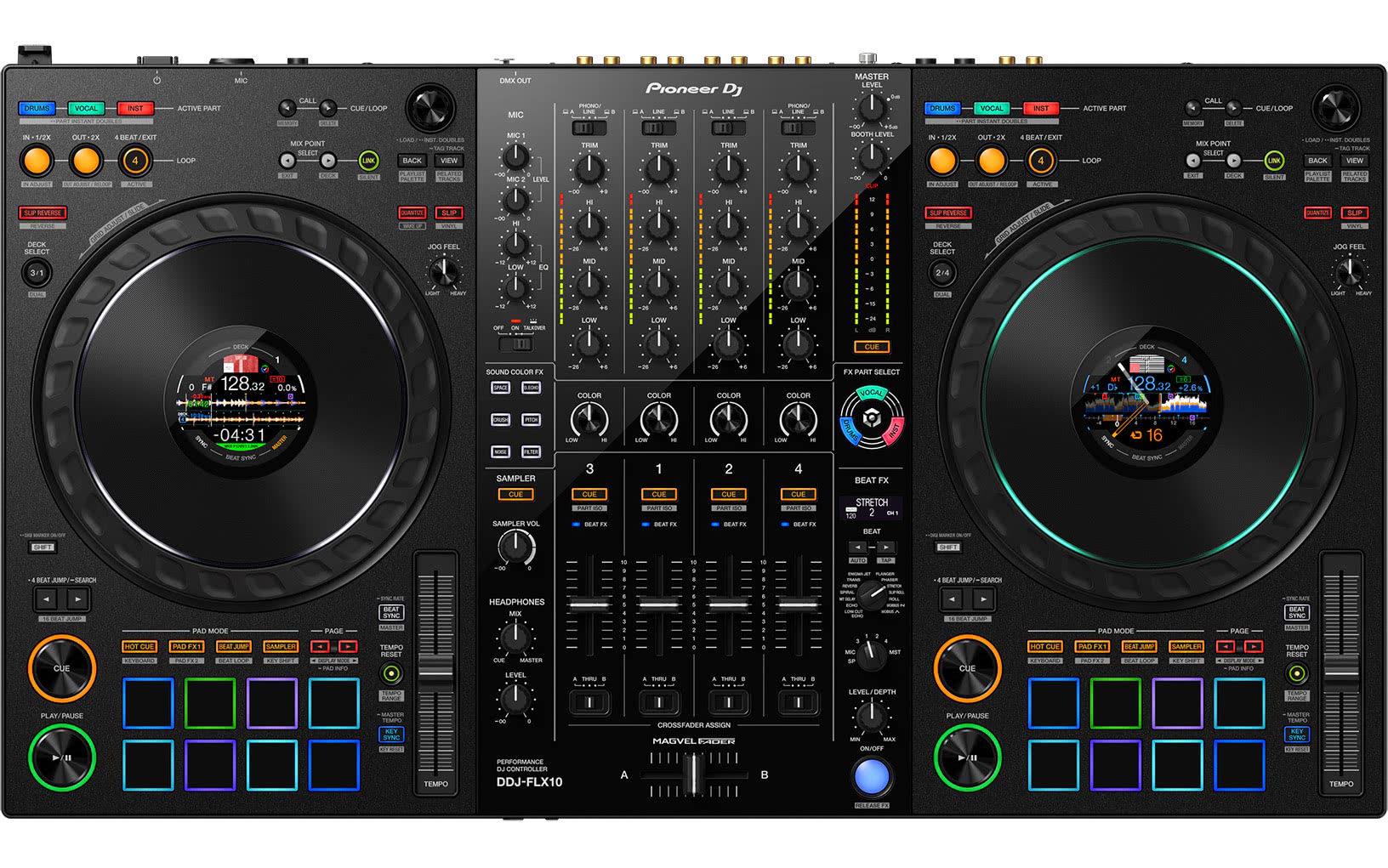
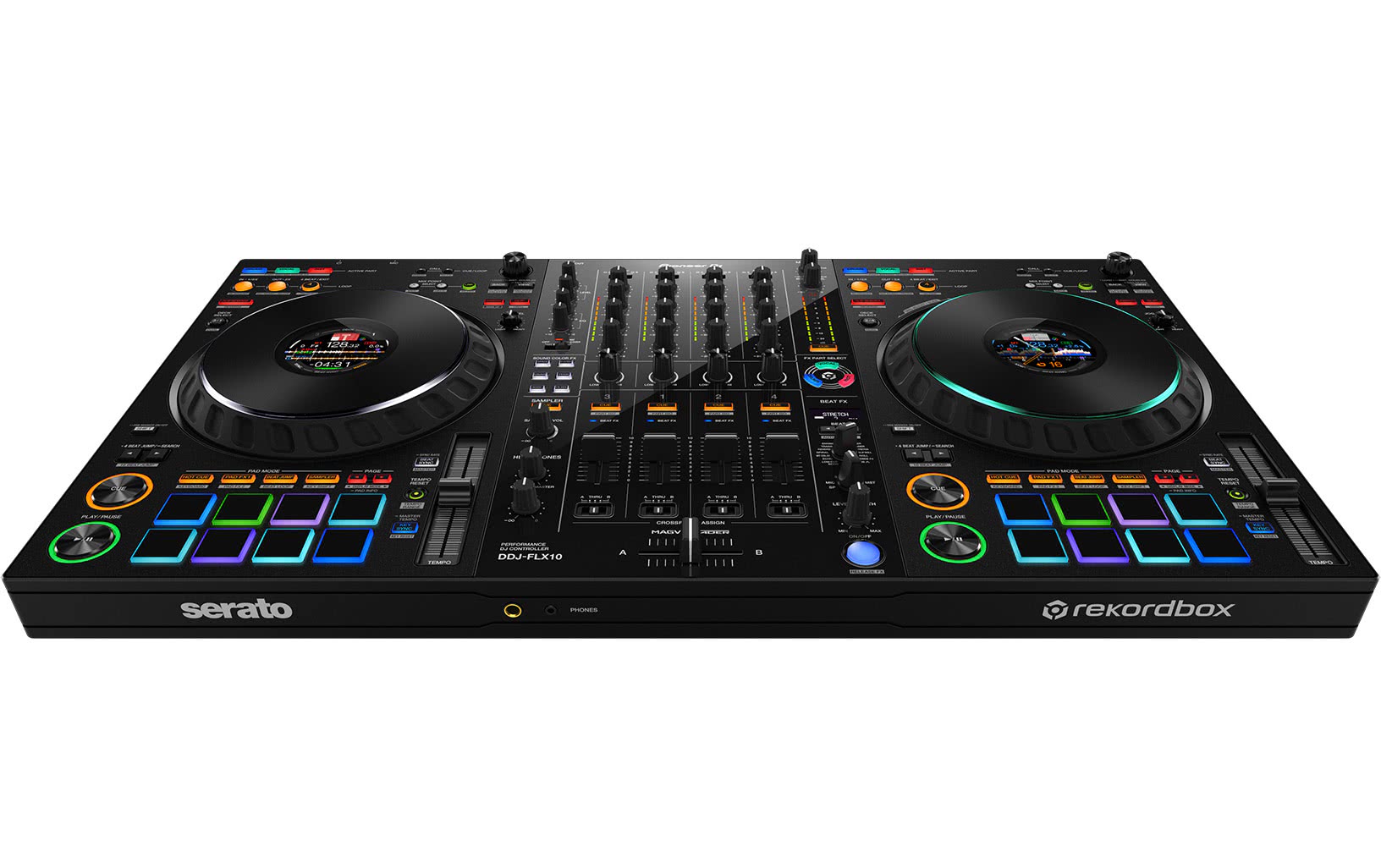
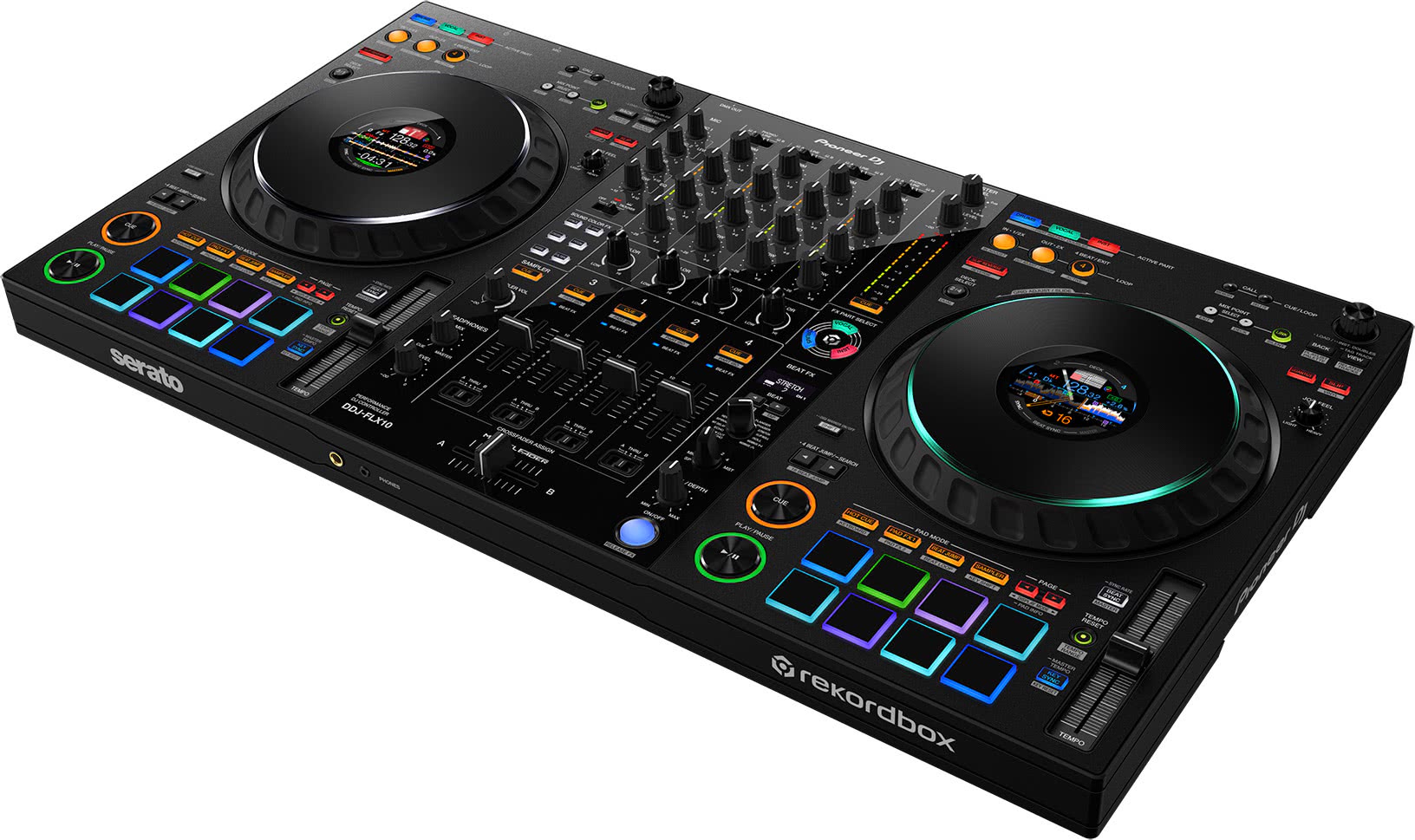

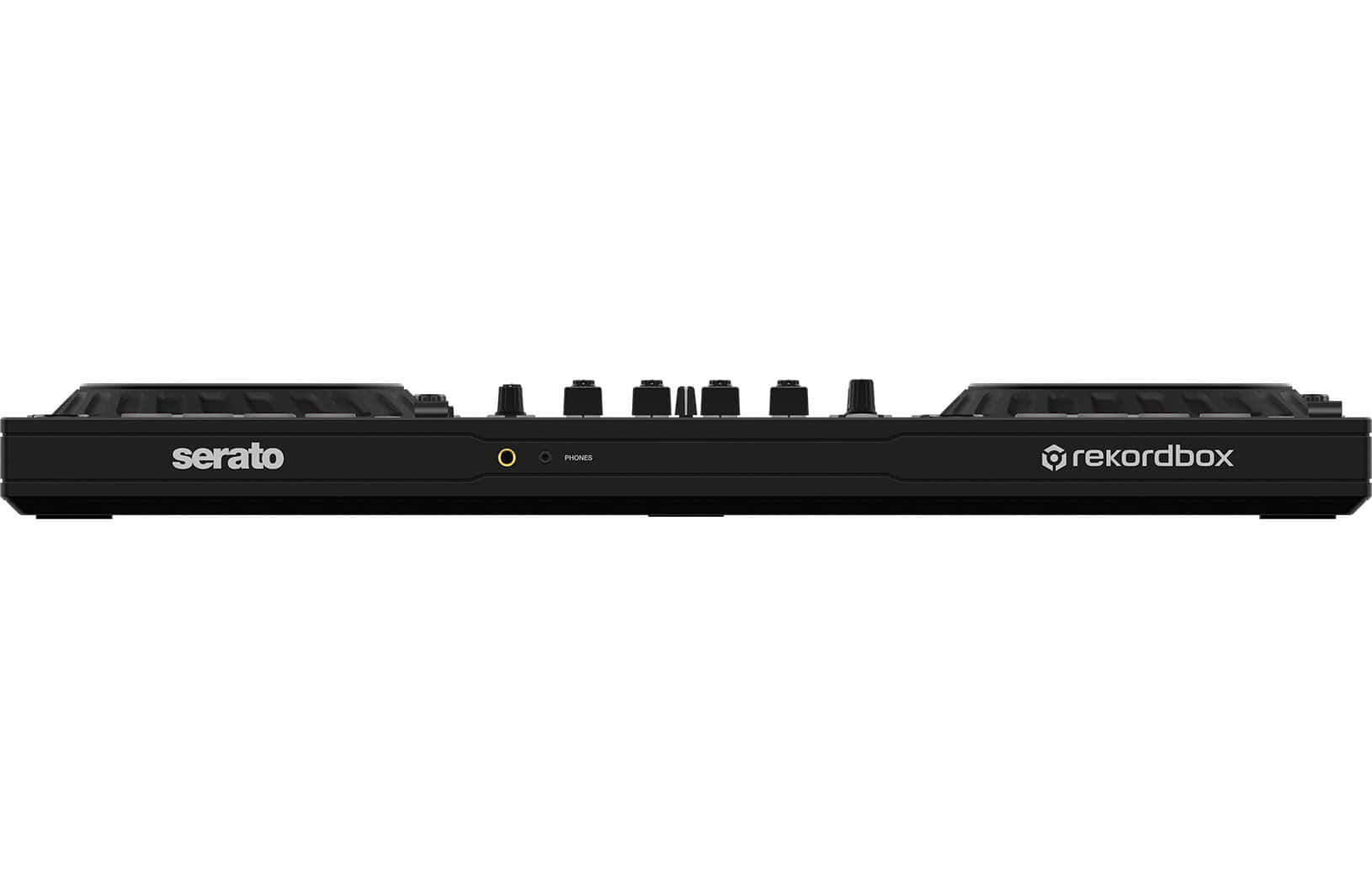
The Pioneer DJ DDJ-FLX10 is the new benchmark among pro DJ controllers. That means it will be the controller against which all others will be measured over the next half decade, just as the DDJ-1000 and DDJ-1000SRT have been for the past five years.
However, you have to keep in mind that it's optimized a bit better for rekordbox than for Serato DJ, and that some of its features might be too much of a good thing for you - plus it costs significantly more than the two controllers it replaces. BUT more on that in our review.
Setup and first impressions
The Pioneer DJ DDJ-FLX10 is the flagship premium performance DJ controller aimed at professional DJs. The club design has stood the test of time and it is extensively equipped yet portable.
After the DDJ-FLX4 and DDJ-FLX6/GT, it is the third controller in the FLX series (FLX stands for "flexible," which means that it works with various software programs and is suitable for DJing all kinds of music), and it is a direct replacement for the DDJ-1000 (Rekordbox) and DDJ-1000SRT (Serato).
What's new?
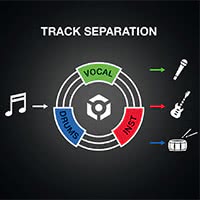 The DDJ-FLX10 is the first controller to take advantage of Pioneer DJ's new real-time Stems feature (or in their words, "track separation"), added with Rekordbox 6.7.0, for live mashups and remixes. Innovative Stems features include Part Instant Doubles, switching EQs to control Stems (first seen on Traktor Kontrol S8 in an archaic, failed earlier incarnation of the Stems idea), and something called FX Part Select, which lets you apply effects only to the Stems of your choice in a track.
There's also a new feature called Mix Point Link, which allows DJ mixes to be put together semi-automatically (rekordbox only). Also, this is the first DJ controller we know of with a DMX jack on the back that can be used to directly connect lighting, which can then be controlled via Rekordbox Lighting, making one-man DJ shows with lighting possible.
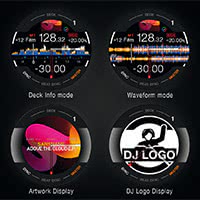 The DDJ-FLX10 features much improved on-jog displays, and the jogwheels themselves now have multi-colored rings to make it easier to see what you're controlling - especially useful with the new features. There's also a new beat effect (Stretch) and a new feature called Sync Rate (long press Beat Sync) to adjust half/double BPMs, plus many other small improvements.
With improved sound quality, including - according to Pioneer DJ - improved phono preamps (an annoyance with previous controllers for people who like to actually spin records), and all the popular features of the DDJ-1000 controller, such as. Club layout and feel, full-size jog wheels, four channels, standalone mixer capability, two USB-C ports for easy switching between DJs, club-standard hardware Sound Color and Beat FX, DVS with Rekordbox "out of the box" (and Serato with a Serato DJ Suite upgrade), and an even better Magvel crossfader - there's a lot to discover here!
We'll focus mainly on rekordbox, since this is primarily a rekordbox controller, but it also supports Serato DJ (Pioneer DJ has the DDJ-REV7 exclusively for Serato in its lineup, but Serato users have other options as well, which we'll introduce towards the end of the review) - but we'll also take a look at the controller's Serato features.
The first setup
As mentioned, the DDJ-FLX10 works with both rekordbox (it fully unlocks Rekordbox Core) and Serato DJ Pro, and it comes with a coupon code for Serato Pitch 'n Time, an essential expansion pack that - at this point - should actually be part of Serato DJ Pro by default.
After you have installed the software using the instructions provided for both platforms, you should check and update your unit's firmware. This is easily done by downloading the latest firmware from the Pioneer DJ website. You should also install the configuration program, especially if you are using software other than Rekordbox. You will also need the audio driver - there are instructions for that as well.
The device has two USB-C ports, not the older USB-B ports that were previously on most controllers. Simply connect the included USB cable to one of the ports and then connect it to your PC/Mac or laptop.
And that's it - add music (personal, local or log into a streaming service in rekordbox or Serato) and you're ready to go.
Club Layout and Feeling
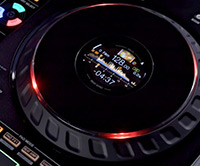 On the whole, the controller feels like the DDJ-1000 or DDJ-1000SRT, depending on whether you use it with rekordbox or Serato - that is, it follows the standard "club" layout with a few variations and extras. So while you'll find full-size jog wheels with proper manual voltage adjustment, there are controller-style pads underneath, in two rows of four, rather than a single row with eight hot cue buttons above them as on club CDJs (and the current Opus Quad).
Pioneer DJ has improved the on-jog displays so that they can show parallel waveforms, which is nice - and they also now have multi-colored jogwheel rings, which are useful for indicating which stems you're DJing with, since they're color-coded to match the selected stem or stems.
Track Separation Feature (Stems)
Speaking of stems, as mentioned earlier, this is the first controller with hardware control for implementing real-time stems in Rekordbox 6.7.0 and higher - or Track Separation, as Pioneer DJ calls it. The integration is not just a gimmick, Pioneer is really serious here:
- Separate buttons for the three available stems - Drums, vocals and instruments are available, which is at least one less than stems in other software (which tend to divide instruments into melody and bass)
- Instant Doubles for Stems parts - these work on the opposite deck or on the Layering deck on the same side; this can be changed in the settings
- Part ISO (or "Stems on EQs") - Holding the Shift key and tapping the Cue button for a channel turns off the Low/Mid/High EQs for the three stems, giving you more control over the balance between them
- FX Part Select - This feature allows you to specify whether the beat and sound color FX you choose should be applied to all audio or only to the selected stem or stems. For example, you can filter the drums and music while leaving the vocals intact, or add a transformation or reverb to the vocals while allowing the instrumental to play unimpeded.
Stems audio quality is pretty good, if not perfect, and Pioneer DJ engineers tell us that they deliberately made a compromise here between compatibility with as many laptops as possible and audio quality.
Of course, audio quality with these kinds of features is largely a matter of the software and the laptop, not the controller, and the DDJ-FLX10, for its part, has great stem control features that are easy to learn and fun to use - though it would be good if the FX Part Select worked with the Sound Color and/or Beat FX of choice, and not always both.
Finally, a note: if you don't like the sound of rekordbox stems, you can also use all the above features with Serato too.
Mix Point Link
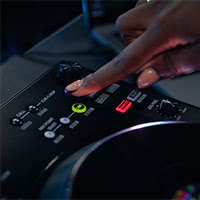 This function lets you select a cue point on the track you want to play next as the "mix-in" point - the point at which the track should begin.
You then set a cue point on the currently playing track as the point from which to play the next track - the Mix Point Link buttons let you switch between these cue points, and the choice you make is highlighted on the screen (and in the In-Jog display when in parallel waveform mode).
Once you have made a selection, press "Link" and wait. Once the playing track reaches the cue point you selected, the new track will automatically play from there. You can then move on to other things (like playing with stems, keeping both hands on the mixer, or interacting with the audience).
The handling still feels a bit strange, especially because you select the cue point on the currently playing track with the Mix Point Link knobs on the deck of the other track - but you will probably quickly memorize this function if you want to use it. In any case, it is always useful.
DMX lighting control
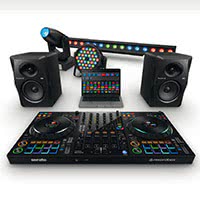 There is a DMX output jack on the back of the FLX10. The unit has the old (now discontinued) RB-DMX1 lighting interface built into the unit. This currently makes the DDJ-FLX10 the only way to use Rekordbox Lighting - the lighting automation feature built into the software - in the Pioneer DJ ecosystem.
Instead of using a USB cable to connect a DMX box to the laptop, another to connect a DMX controller, and then another to connect the lights, you can now simply run a single DMX cable from the DDJ-FLX10 to the first light, from which the lights can be daisy-chained as usual.
Thanks to the lighting automation features built into Rekordbox Lighting and a dedicated lighting pad mode for manual control, the DDJ-FLX10 gives you at least basic control over a DMX lighting setup directly from the DDJ-FLX10. It seems to be a good compromise between true and complete lighting control and no control at all. Nice to have.
The sound quality
The specs look good, and more importantly, the phono preamps are - we were assured - better than the weak ones on the DDJ-1000. In general, the unit sounds great - we tested everything through our studio speakers and were impressed with the sound quality. The effects sound as good as ever, especially the new Stretch Beat effect, which invites you to play.

As mentioned before, the audio quality of the stems is not perfect, but that's currently the case with any DJ software. However, it is only a matter of time until the sound quality is improved with updates. (Serato DJ has here in the Qqalität still a little ahead).
Use with Serato
 Speaking of Serato, let's take a look at the implementation. It's primarily a rekordbox controller - Serato users can turn to the DDJ-REV7 from the Pioneer range, for example, not to mention controllers like the Rane Four that offer deep, dedicated integration with the platform.
The Serato implementation is good nonetheless. You can 100% use Serato Stems with the rekordbox features described above - rekordbox simply links the bass and melody Serato Stems into an Inst(ruments) Stem. Also, Serato's pad stems and FX can be turned on instead of loop roll or sampler if you want.
The Mix Point Link feature is missing (instead, there's manual button control, which rekordbox users strangely lack), and the pads are mislabeled for Serato, so you have to memorize them (though the heads-up displays on the in-jog screens still work, which is cool).
Also, with Serato, only an on-jog display is available. Overall, everything is much better done than the Serato implementation of the previous Pioneer controller models.
The DDJ-FLX10 fully unlocks Serato DJ Pro, and as mentioned earlier, you also get Pitch 'n Time included, which is essential for use with Serato, so it's all good.
Our conclusion
The DDJ-FLX10 is just the thing for anyone looking for a future-proof, professional DJ controller from Pioneer. It builds on the highly successful DDJ-1000 and DDJ-1000SRT controllers and is the logical upgrade from one of those controllers or the DDJ-400, DDJ-FLX4, DDJ-800 or DDJ-FLX6. It is a sophisticated, high-performance tool for accomplished open-format DJing and will appeal to serious hobbyists, mobile DJs and professionals alike.
However, it's no bargain - at just over €1,600, it's about €500 more expensive than a DDJ-1000 - but it also offers more.
Nevertheless, there are many positive things to report. We find the Stems implementation very exciting, even if (in the case of rekordbox) it is certainly still an improvable first version. The Serato mapping is also good, which means that the two controllers that the DDJ-FLX10 replaces have been successfully melded into a controller that should please both camps, even if it ultimately suits rekordbox better.
Feel free to take a look at the tables in our Pionner Controller Guide to compare all the details. Serato users should consider the Rane Four or Rev7 as a competitor benchmark and make a decision based on these two models.
Ultimately, however, the Pioneer DJ DDJ-FLX10 is the new benchmark rekordbox performance controller that does a very good job in almost all areas.
It builds on the DDJ-1000 units and still works very well with Serato, making it the best all-around pro controller on the market today.